DoxAI offers integrated customer support is available to assist users while navigating the platform, initiating signature requests, or analysing documents.
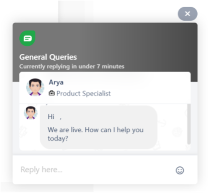
To reach support, click the “message” icon located at the bottom right corner of your screen. This opens a chat window where a support agent will respond to your queries.

Contact support team by creating a ticket: https://help.doxai.co/support/tickets/new
Was this article helpful?
That’s Great!
Thank you for your feedback
Sorry! We couldn't be helpful
Thank you for your feedback
Feedback sent
We appreciate your effort and will try to fix the article