The user is re-directed to a new screen where the user can opt for one of the following options: "Just Me", "Me and Others", or "Others Only".
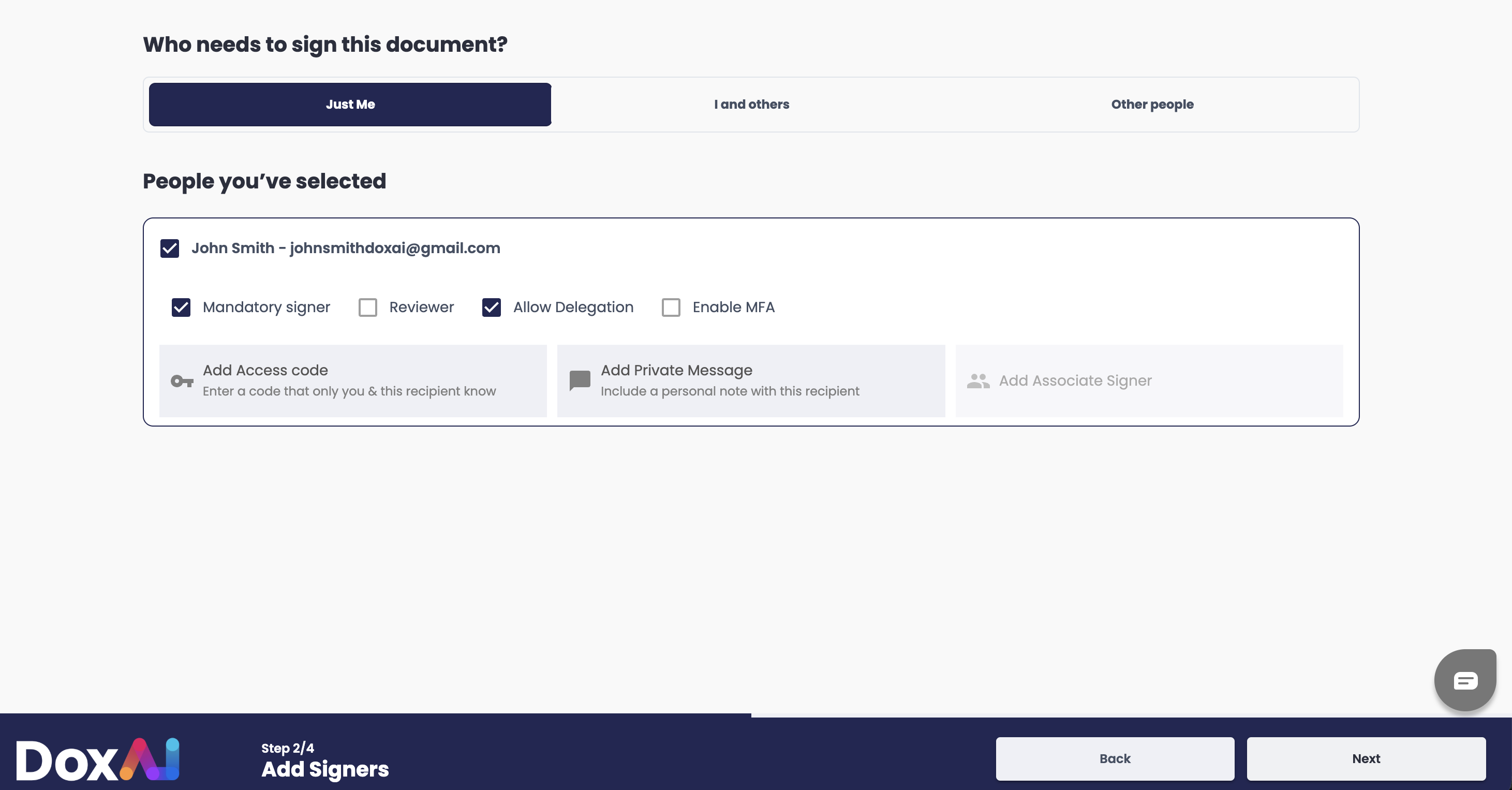
“Just me”: This feature enables the requester to generate an eSignature request for themselves.
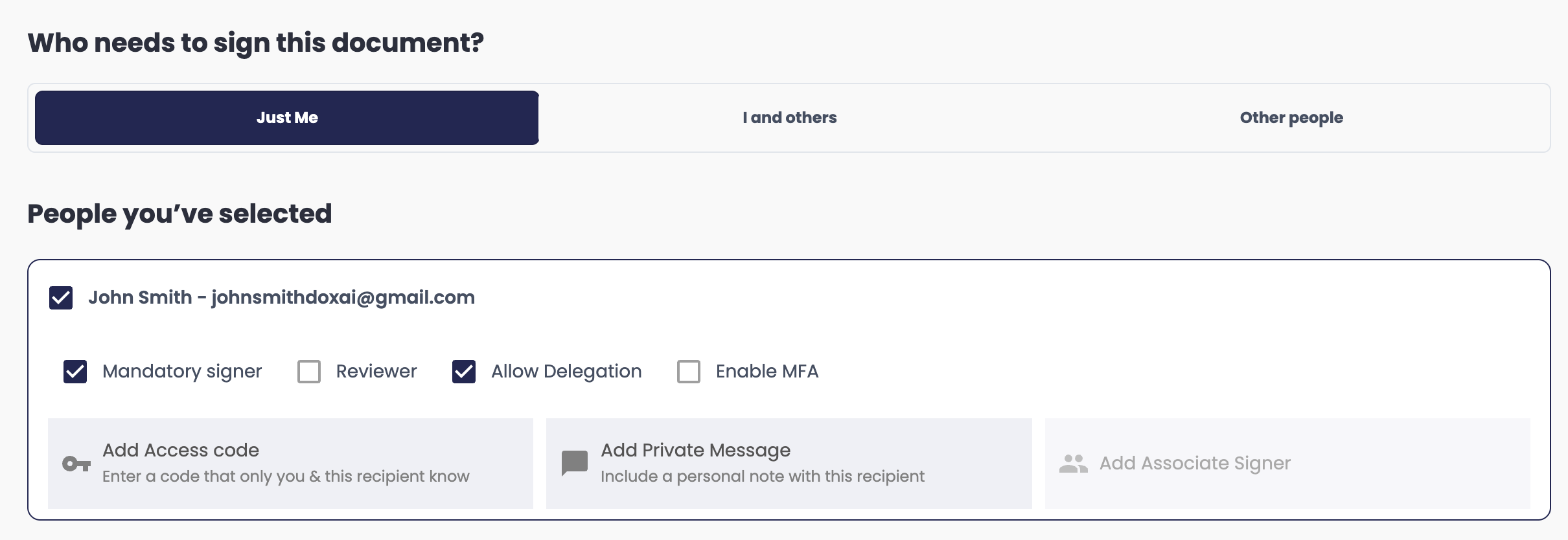
Mandatory signer: The system defaults to setting the eSignature requestor as a mandatory signer.
Reviewer: Enabling this checkbox restricts the user to review-only access, preventing them from signing the document
Add Access Code: optional
Add Private Message: optional
“I and others”: This feature enables the requester to send an eSignature request to multiple recipients or predefined groups also including themselves as the requester.
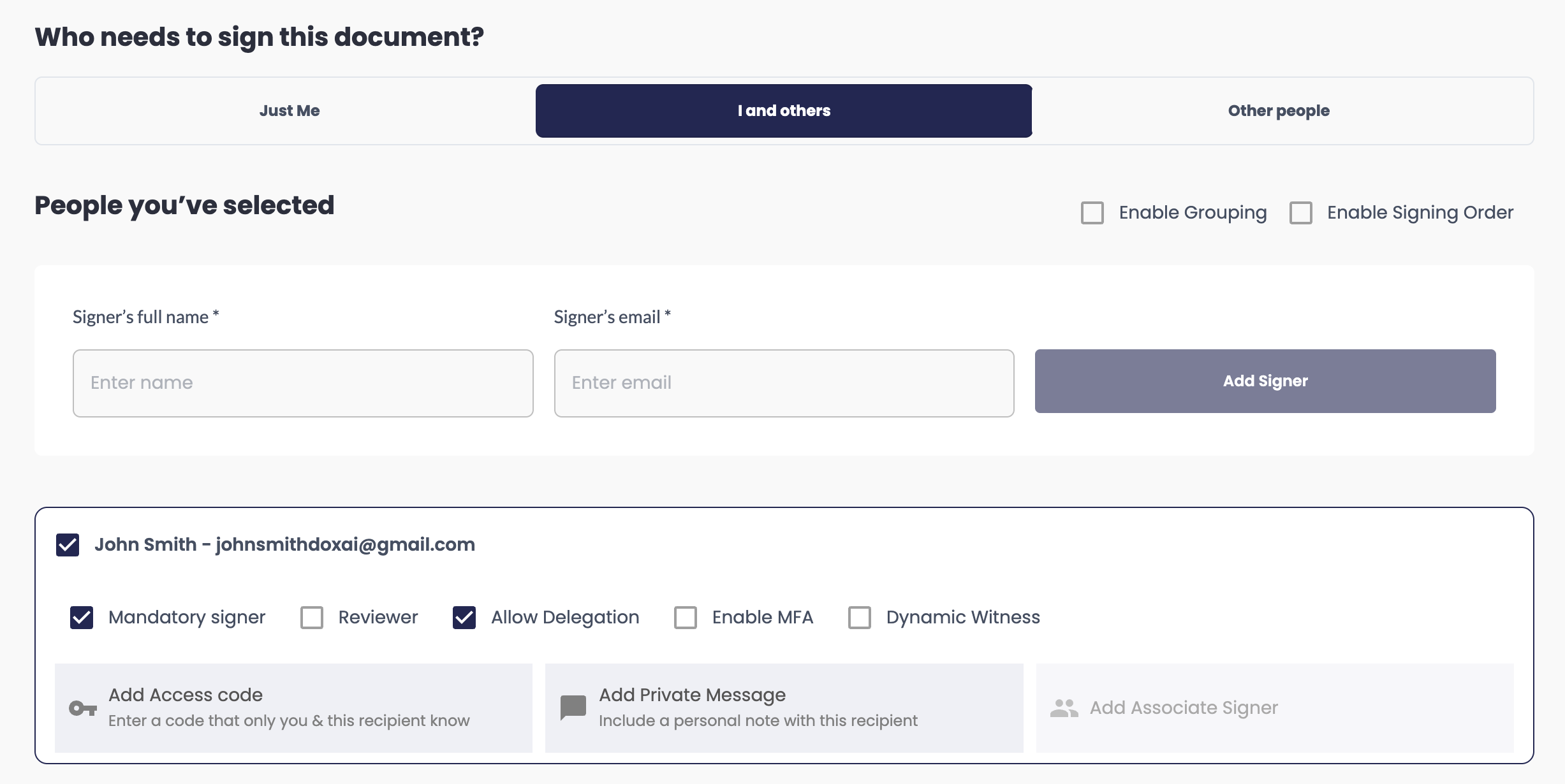
The following information is required to add a signer:
Full name of the signer
Email address of the signer
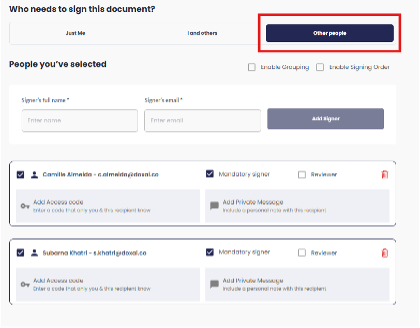
“Other People”: This feature enables the requester to initiate an eSignature request to one or more signers or predefined groups.
GROUPING – Refer to (Group Creation)
The grouping functionality is accessible when the requestor chooses “I and Others” or “Other People” during the eSignature request process.
Enable Grouping: This feature provides the ability to include one or multiple groups of signers in the request.
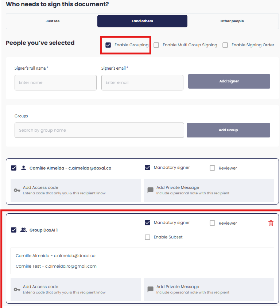
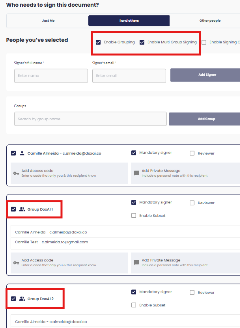
When “Enable Grouping” is selected, the “Enable Multi-Group Signing” option will automatically appear.
If enabled, this allows the signer who belongs to multiple groups to sign once per each group.
If disabled, this allows the signer only to sign once per eSignature request.
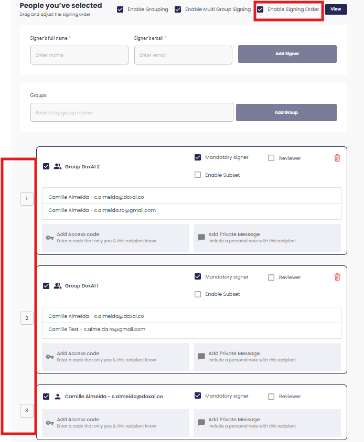
Enable Signing Order: When enabled, this feature allows the requester to define a specific signing sequence for individual signers or groups. The order can be customised either by dragging and dropping the entries or by manually editing the order numbers within their respective fields.
Group Feature Settings:
Mandatory signer: By default, the mandatory option is enabled for the Group, the requester can customise this and make the Group as reviewer
Reviewer: The user can optionally choose to be a reviewer; this function enables document review. It also allows specifies whether a group should review or not.
Add Access Code: optional
Add Private Message: optional
Enable Subset is a feature available exclusively for groups. It provides granular control over group-based signing by allowing the requester to define the number of unique signers required within a group.
When Subset is enabled, a new field labelled “Subset Count” appears. The requester can enter the number of distinct signers required from the group.
Note: The specified subset count cannot exceed the total number of group members.
Was this article helpful?
That’s Great!
Thank you for your feedback
Sorry! We couldn't be helpful
Thank you for your feedback
Feedback sent
We appreciate your effort and will try to fix the article