When the eSignature request is completed, the user can download the final document(s) and audit report to save locally through the following options:
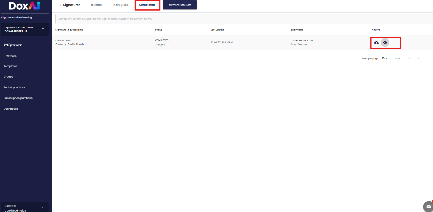
1. The user can navigate to the “completed” section within the eSignature dashboard, where the user can click on the “view” icon to preview the final completed document(s) and audit report within the platform. By clicking on the download icon beside the preview the user can download the final document(s) and audit report in a zipped file.
2. Alternatively, once the eSignature request is completed, the user will receive an email notification containing the final signed document(s) and the audit report, with the option to download both for their records.
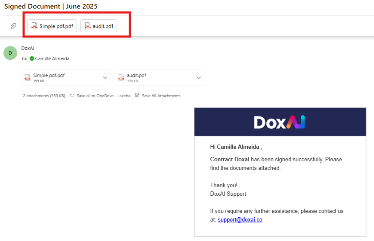
Note: The documents received after the completion of the eSignature request will vary based on the recipient’s role:
Initiator of the eSignature Request: Will receive an email notification with both the final completed document(s) and the audit report attached.
Other Signatories (Recipients): Will receive an email notification containing only the final completed document(s).
Was this article helpful?
That’s Great!
Thank you for your feedback
Sorry! We couldn't be helpful
Thank you for your feedback
Feedback sent
We appreciate your effort and will try to fix the article