The requester can navigate to the platform to make any necessary changes to the submitted eSignature request.
1. The user can navigate to the “initiated” tab, then click on “Review” to get details relevant to that eSignature request.
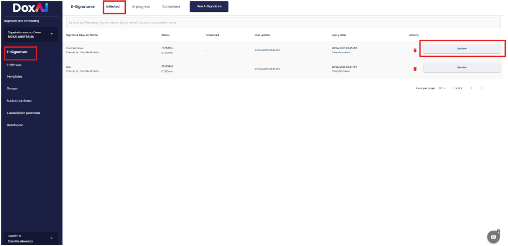
2. Upon clicking the “Review” button. A new pop-up window open with the following functions:
Void: Cancel the eSignature request. Once voided, the request cannot be completed or signed.
Resend: Send a reminder email to recipients who haven’t completed the signing process.
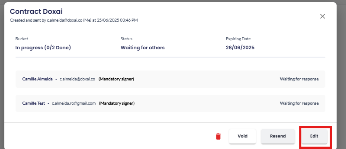
Edit: Make changes to the eSignature request, including signer details, fields, or document content.
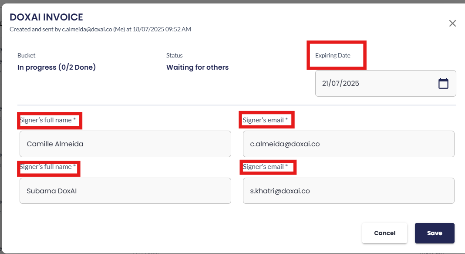
3. After clicking on “Edit,” a pop-up window will appear, allowing the requester to make the following modifications:
Expiry Date – Update the deadline for completing the eSignature request.
Signer Details – Edit the signer’s full name and email address.
Once any changes are saved, a new email notification will be triggered and sent to the affected signers, informing them of the update.
Please note:
This applies only to signers who have not yet completed the signature process.
Group details cannot be modified for in-flight (already sent) eSignature requests.
Was this article helpful?
That’s Great!
Thank you for your feedback
Sorry! We couldn't be helpful
Thank you for your feedback
Feedback sent
We appreciate your effort and will try to fix the article