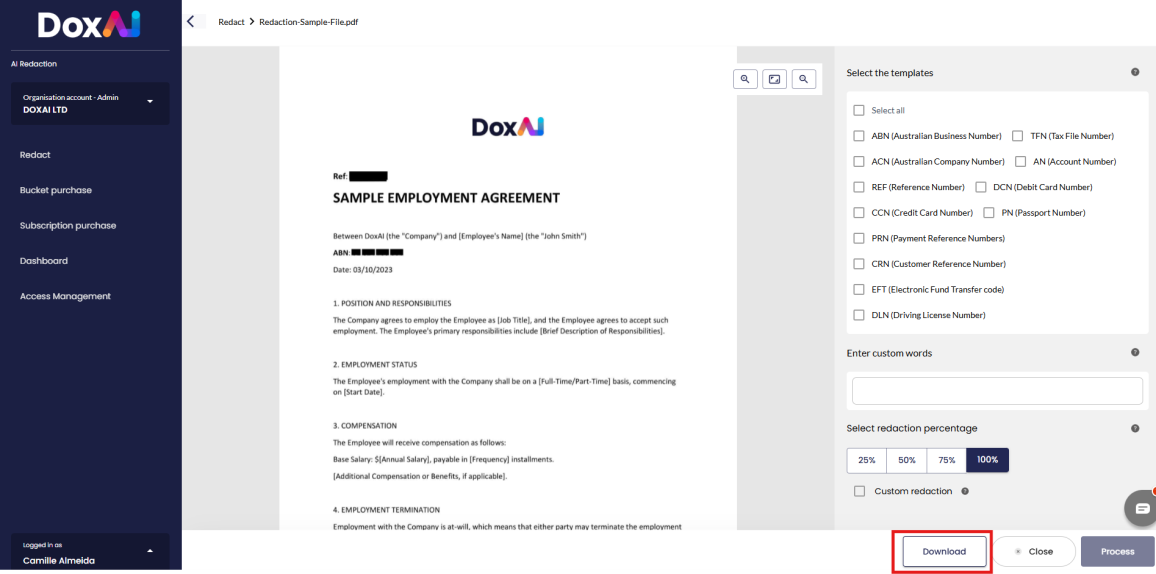
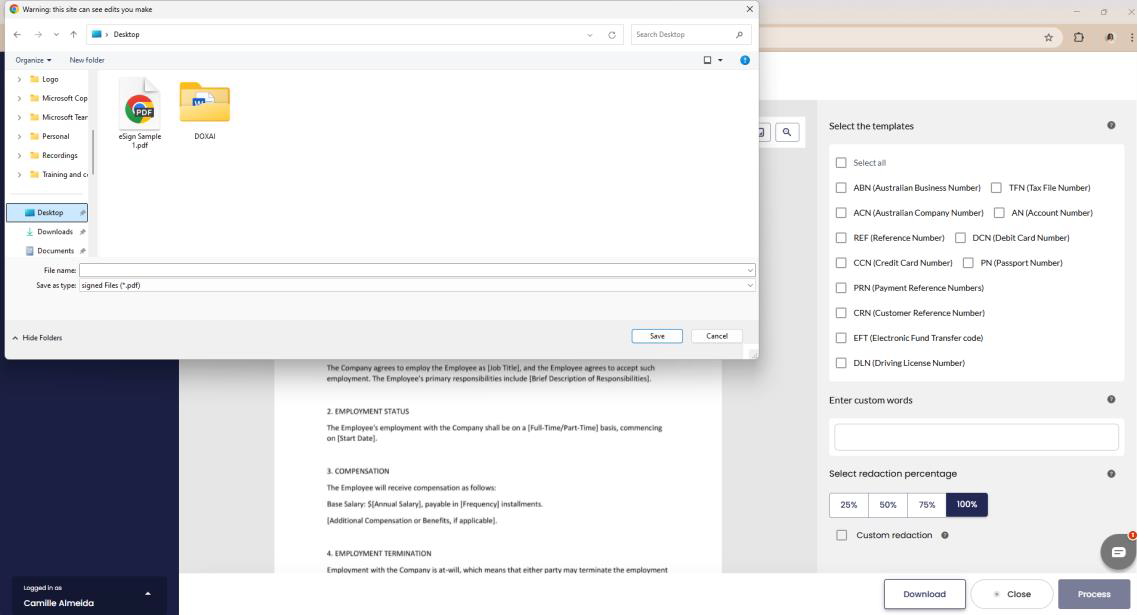
Once the redaction is complete, the user can download the redacted file using one of the following options:
- From the Redact AI Service screen
- From the Redact AI Dashboard - The user can simply click the Download button located at the bottom right of the screen.
- The redacted file can then be saved locally.
Download document from Redact AI Service Screen
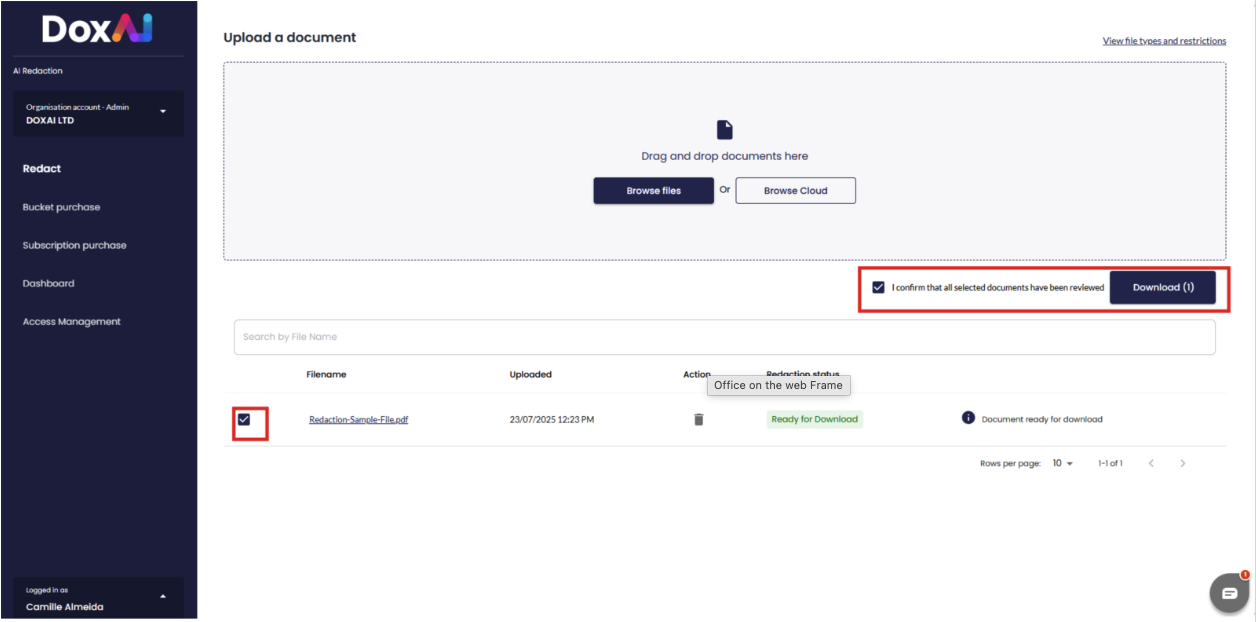
Download document(s) from Redaction AI Service Dashboard
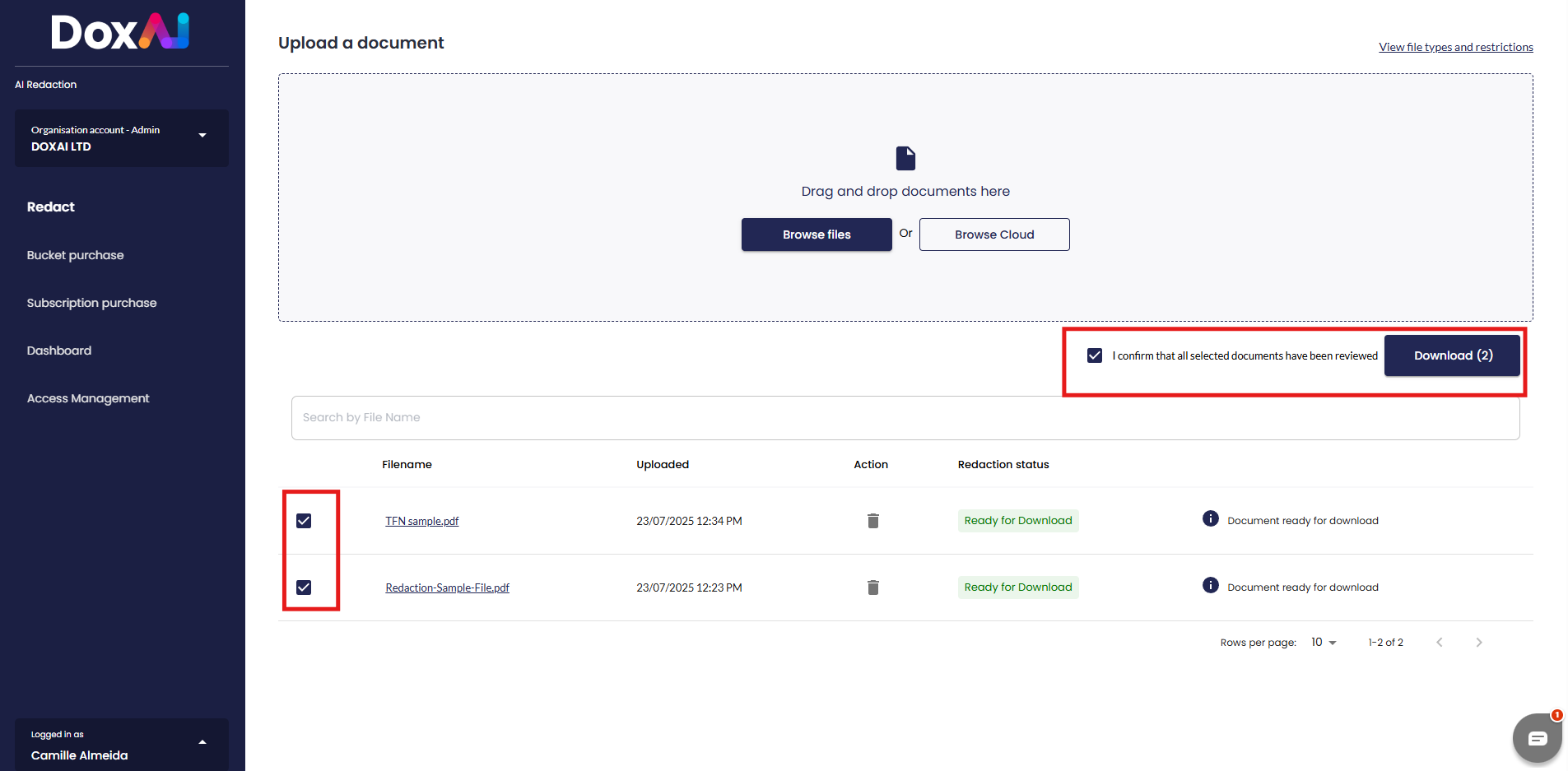
- The user needs to check the box to the left of the file name.
- The user must also check the box next to “I confirm that all selected documents have been reviewed.”
- Finally, the user can click the Download button to save the file(s) locally.
Please note: Bulk download is authorised.
Was this article helpful?
That’s Great!
Thank you for your feedback
Sorry! We couldn't be helpful
Thank you for your feedback
Feedback sent
We appreciate your effort and will try to fix the article