The user is now directed to the Redact AI service screen.
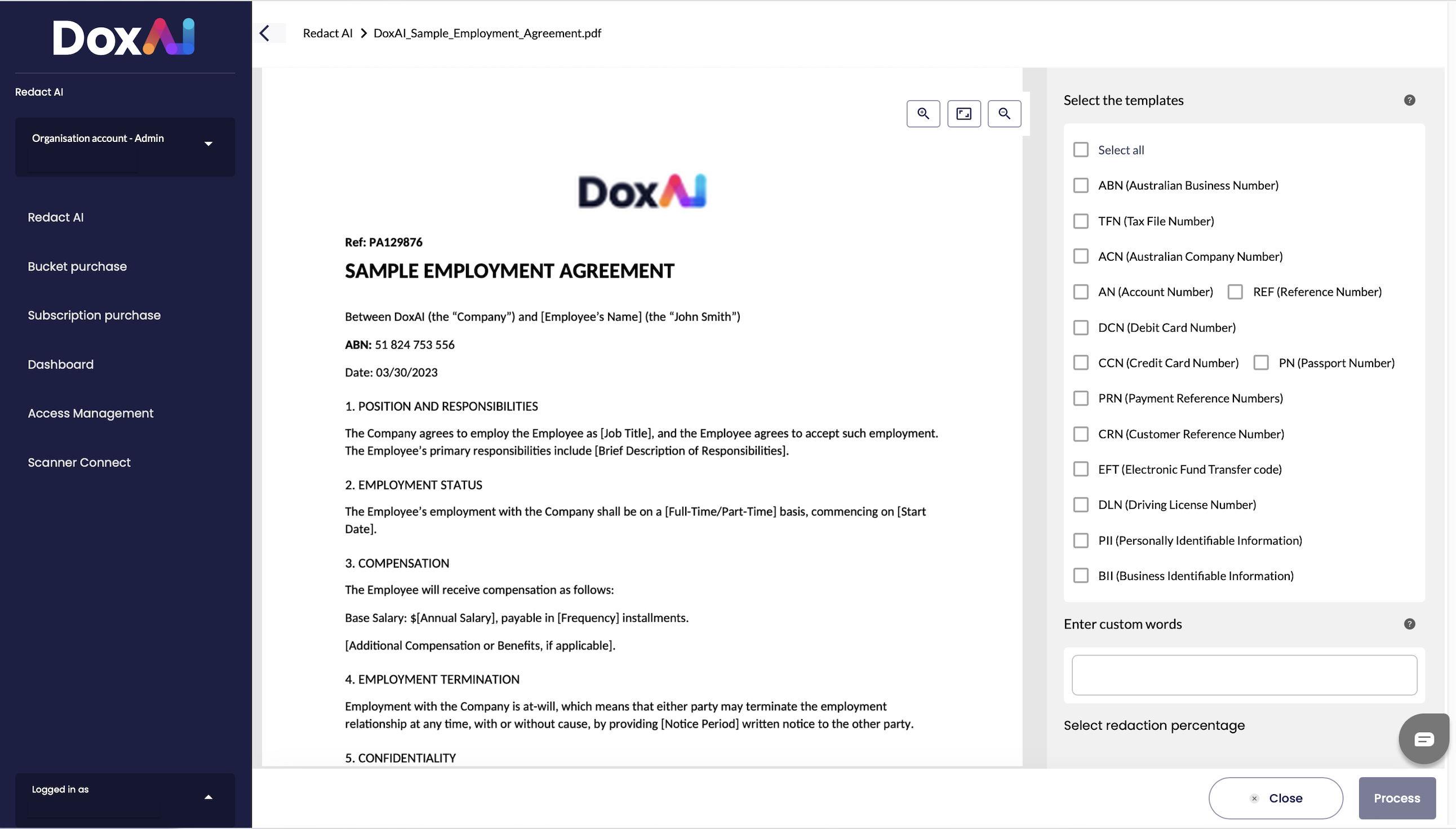
To redact information, the user has three options:
- Use pre-defined templates: Select one, multiple, or all the templates available on the right side of the screen. These templates include common types of information that are typically redacted.
- Enter custom words: The user can type one or more specific words or phrases from the document to be redacted.
- Custom redaction: This option allows the user to manually select any portion of the document they wish to redact.
Was this article helpful?
That’s Great!
Thank you for your feedback
Sorry! We couldn't be helpful
Thank you for your feedback
Feedback sent
We appreciate your effort and will try to fix the article