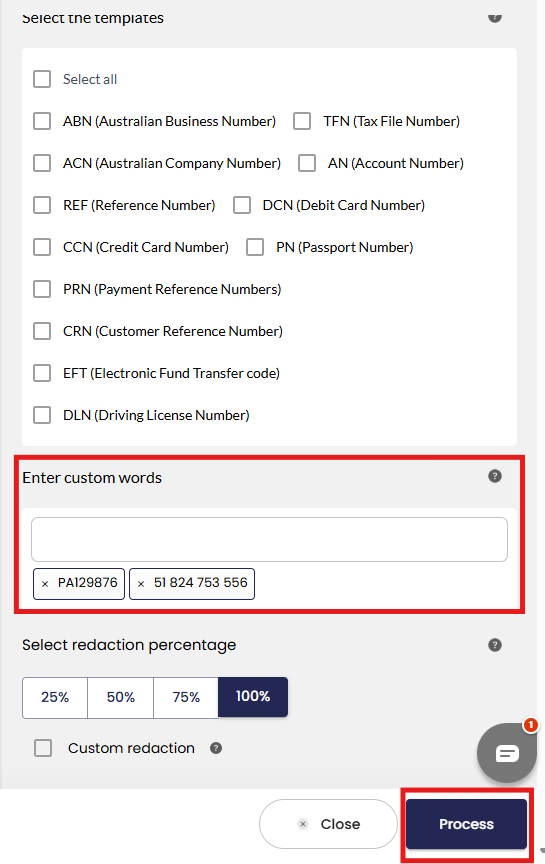
- In this scenario, the user needs to type the keywords they want to redact. After typing each word, they must press "Enter" to confirm it. The user can enter as many keywords as needed. In this example, the user wants to redact “PA129876” and “51 824 753 556.”
- The user needs to click on “Process” to initiate the redaction.
- Once the redaction has been completed the status of the redaction status is “Review Required”. The user can now click on the filename to see the results.
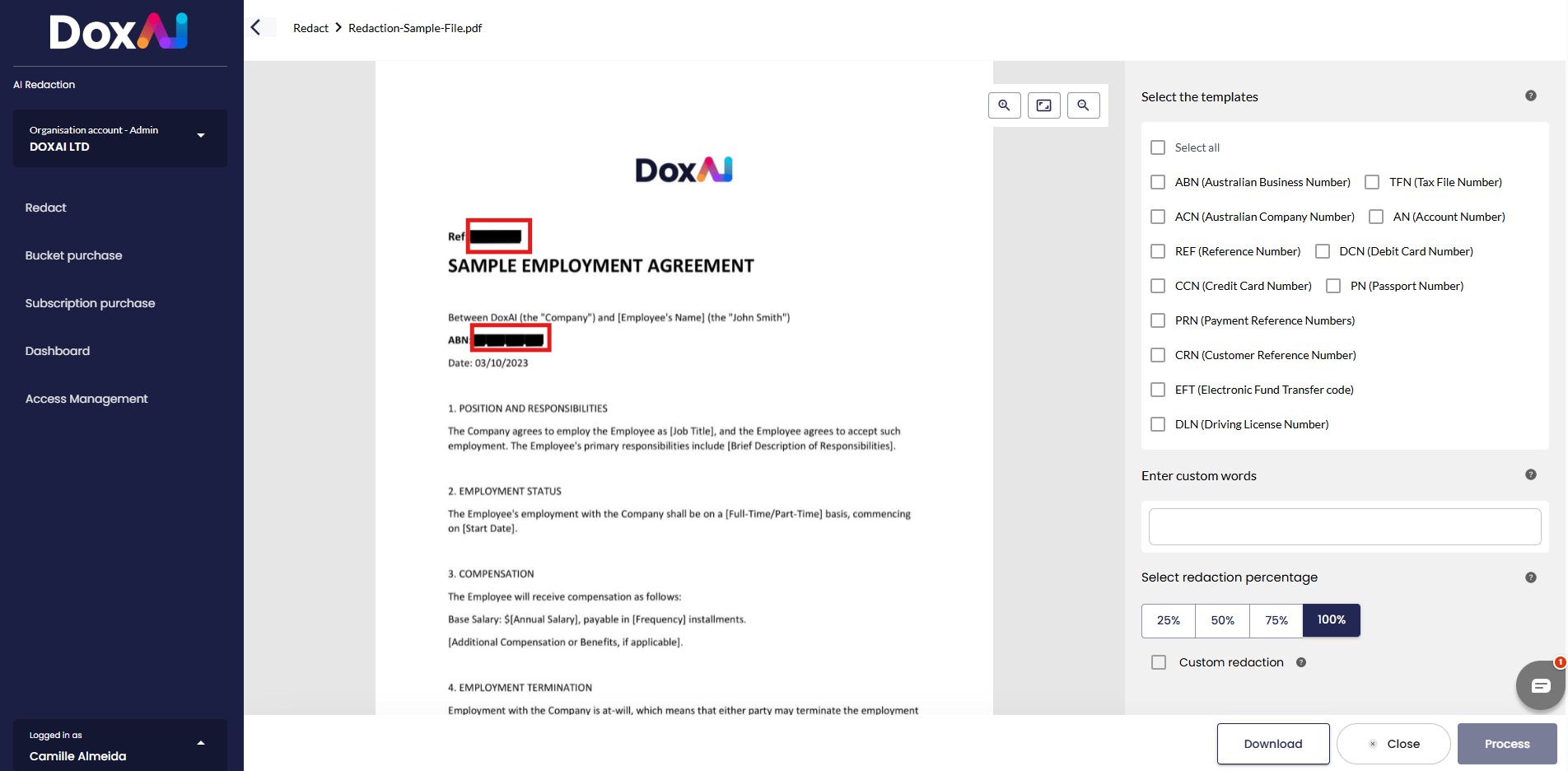
- The user is now directed to the AI Redaction service screen. In this scenario the user wanted to redact “PA129876” and “51 824 753 556” this two information has been successfully redacted.
Was this article helpful?
That’s Great!
Thank you for your feedback
Sorry! We couldn't be helpful
Thank you for your feedback
Feedback sent
We appreciate your effort and will try to fix the article