The Autofill dashboard is the starting point for creating and managing PDF templates.
Accessing Autofill
- From the DoxAI platform, select Autofill from the navigation menu.
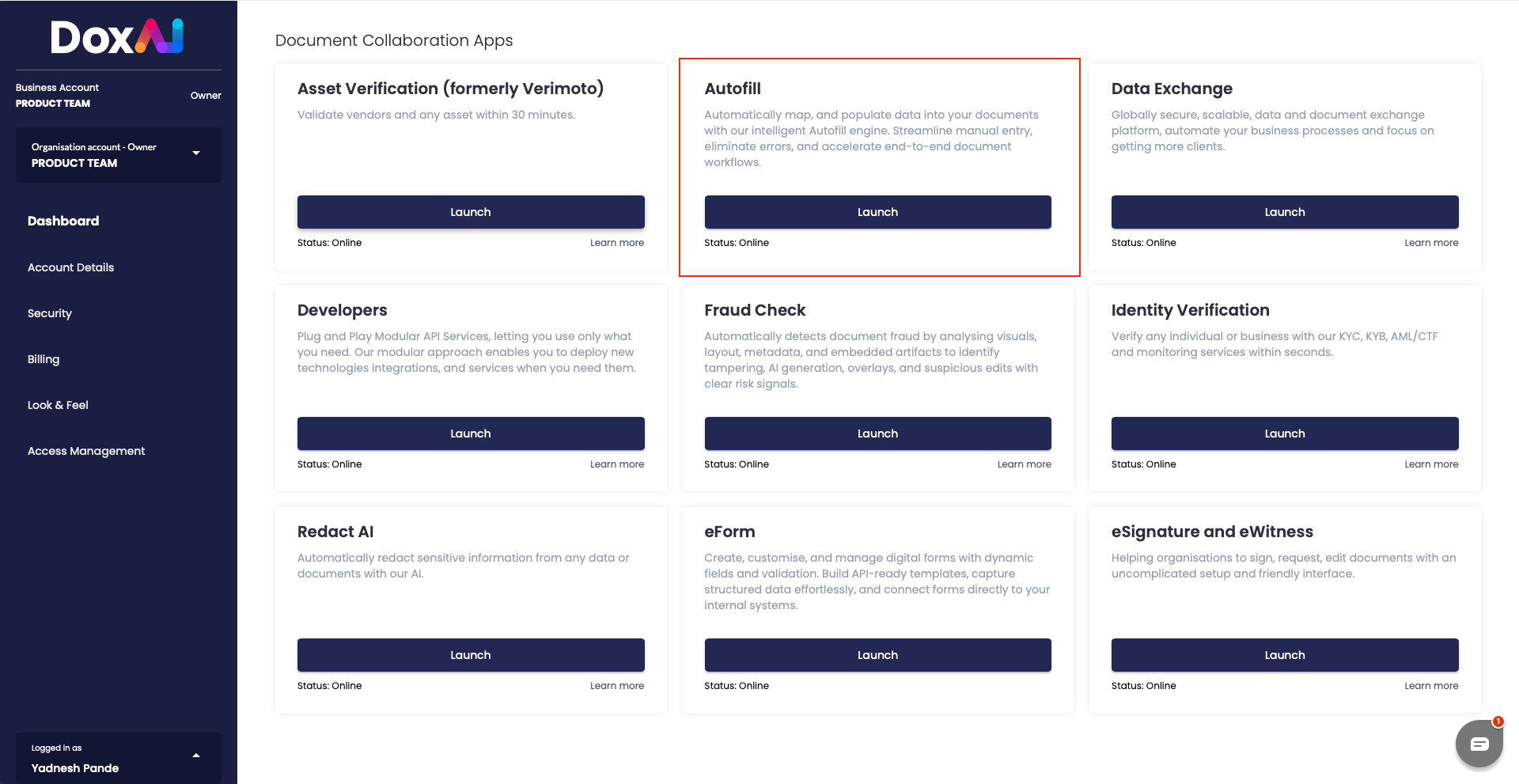
- The Templates page opens by default.
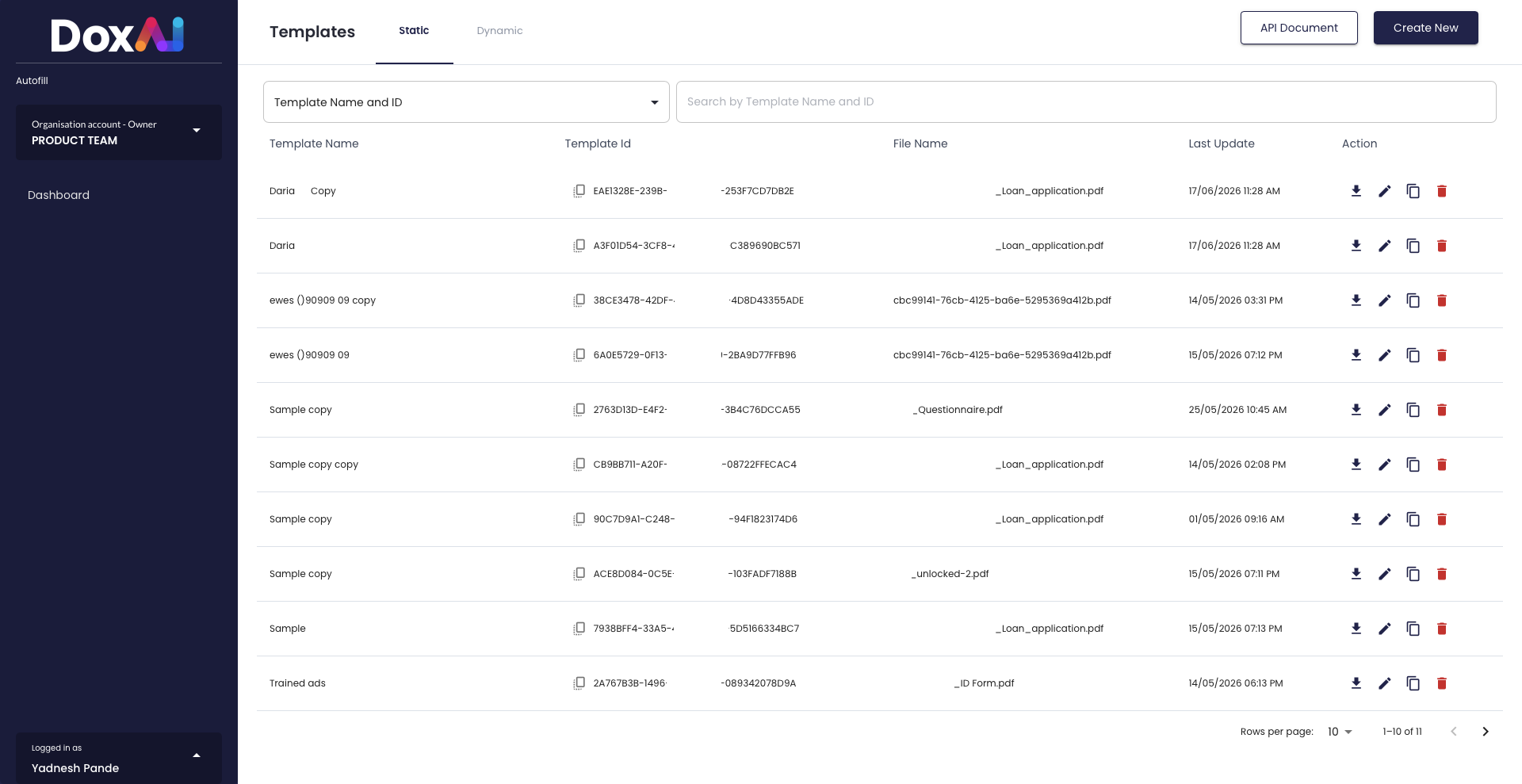
From this page you can:
- Select between Static and Dynamic templates.
- Create a new template by clicking Create New.
- Search for existing templates using the search bar.
- Download, edit, clone, or delete existing templates.
- Access the Autofill API documentation by clicking API Document.
When you’re ready to build a new template, proceed to Creating an Autofill Template.
Was this article helpful?
That’s Great!
Thank you for your feedback
Sorry! We couldn't be helpful
Thank you for your feedback
Feedback sent
We appreciate your effort and will try to fix the article