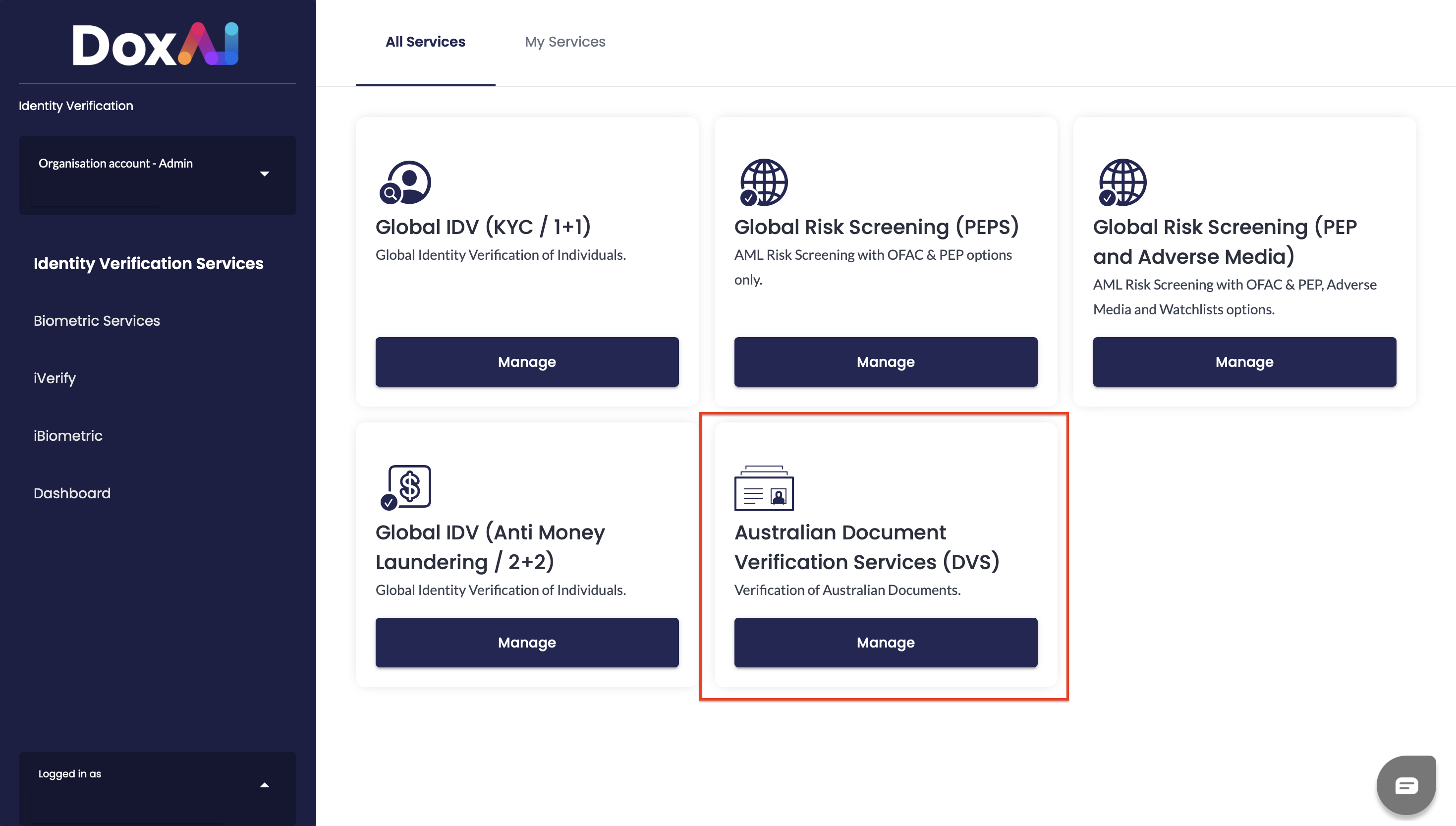
1. To start using Australian Document Verification Services (DVS) the user launches the service from Identity Verification dashboard
2. The user will be redirected to DVS page and clicks Use to proceed.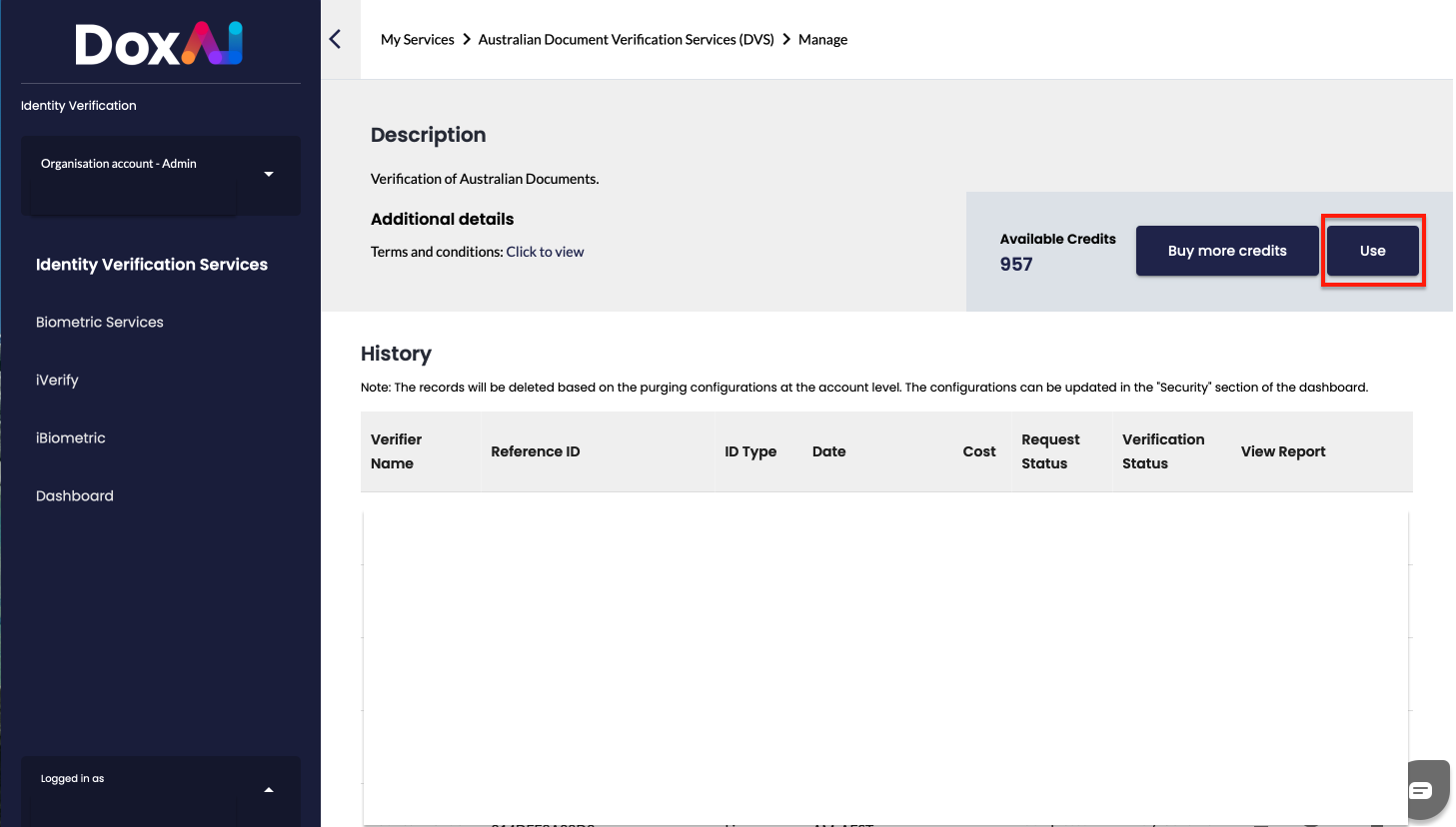
3. To initiate verification process the user selects required document type from the list:
- Drivers Licence
- Passport
- VISA
- Immigration Card
- Medicare
- Citizenship
- Centrelink card verification
- Descent certificate
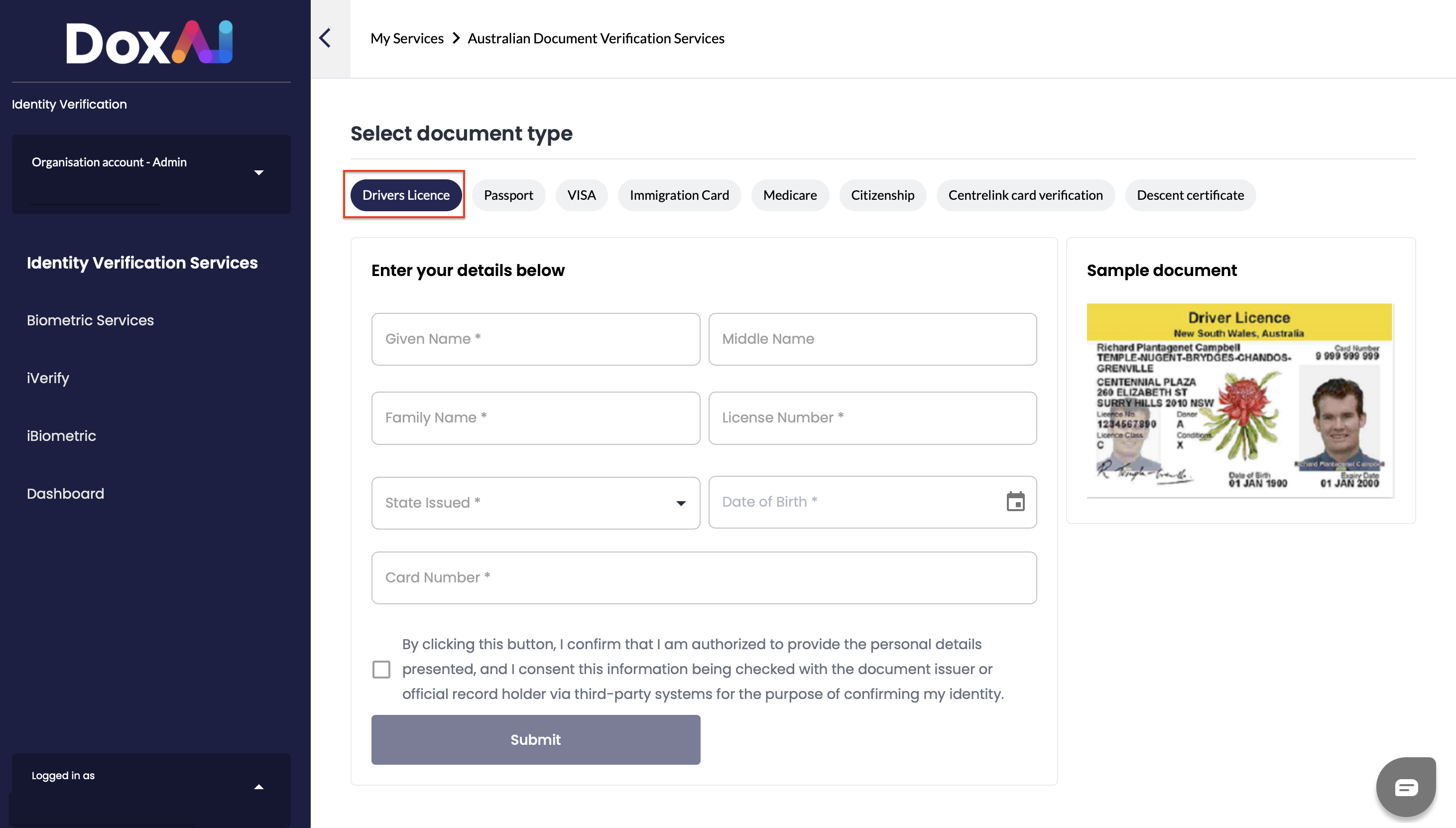
4. After selecting the document type, the user enters their details in the form provided for that specific document type. For example, in the case of Drivers Licence, the user enters the following details:
- Given Name *
- Middle Name
- Family Name *
- License Number *
- State Issued * (dropdown)
- Date of Birth *
- Card Number *
A sample document image is displayed on the right for reference.
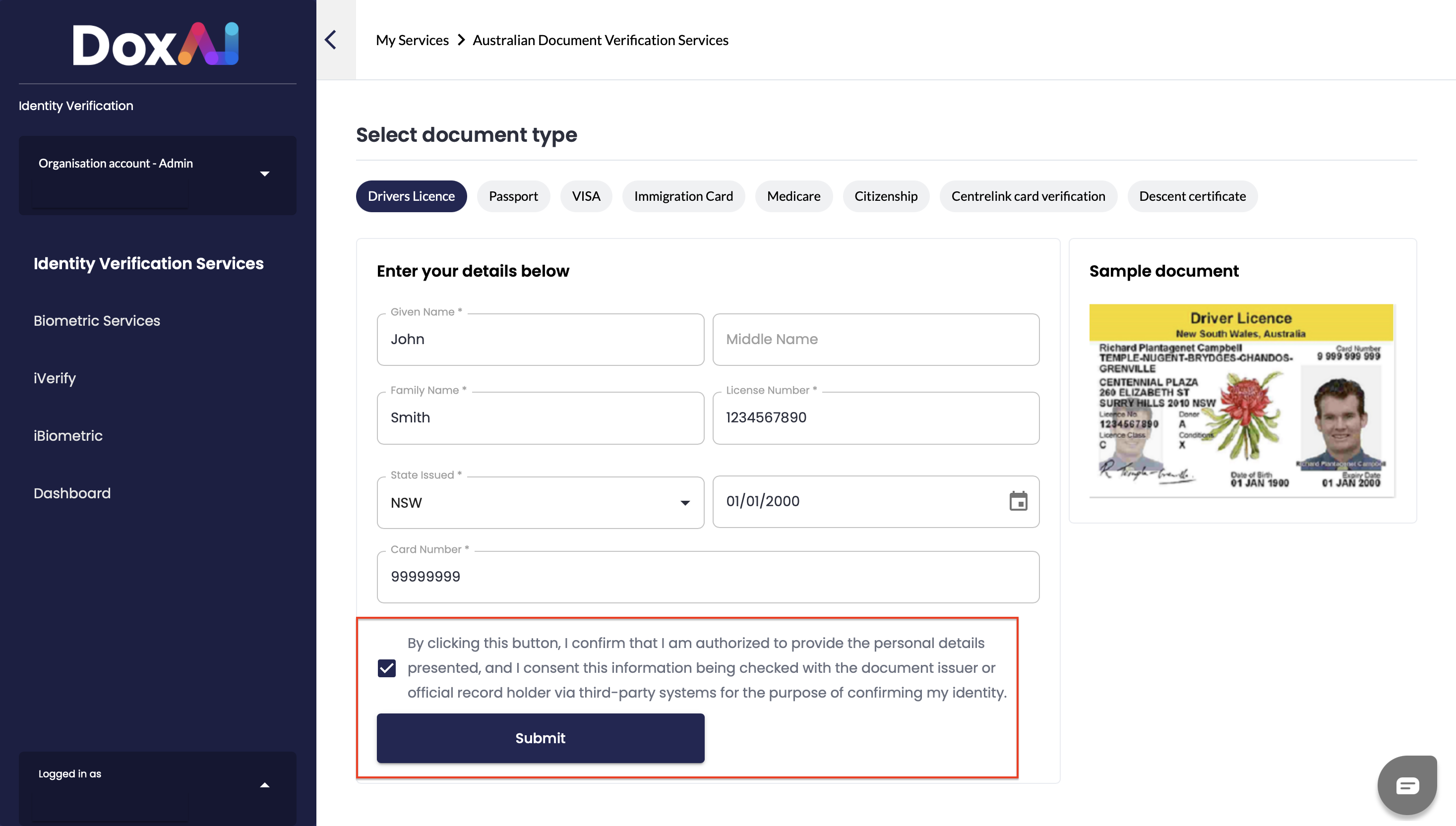
5. The user reviews and checks the consent checkbox, confirming they are authorized to provide the personal details presented and consent to the information being checked with the document issuer or official record holder via third-party systems for identity confirmation purposes. Then the use clicks Submit to proceed with verification.
6. Once the details are submitted, a confirmation dialog appears displaying the verification result:
- "Likely Genuine" - along with the message "It looks like that everything is fine here." The user clicks See Report to view the detailed verification report.
- "Likely Not Genuine" - along with the message "Apologies, but your document(s) couldn't be processed. Kindly upload a valid document and attempt the process once more." The user clicks Try Again to re-attempt the process.
7. After clicking See Report the user is redirected to the History Page.
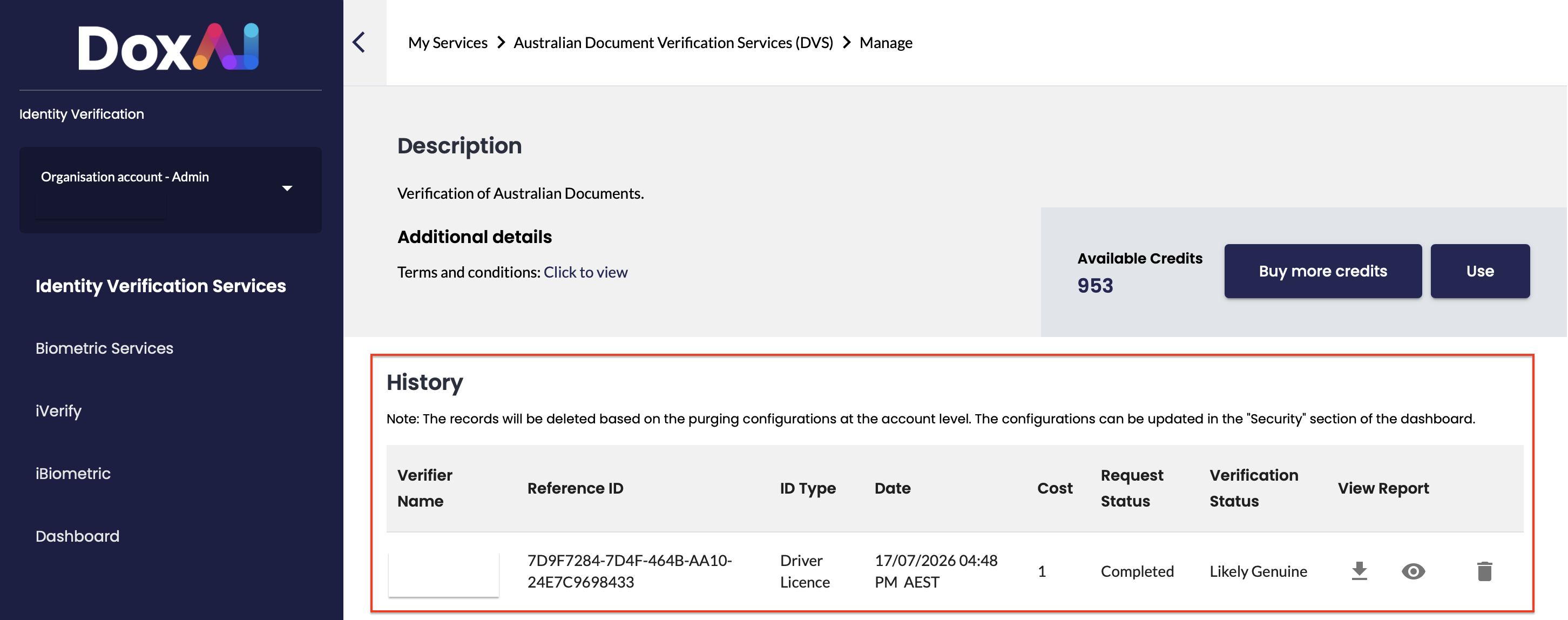
The History section displays a record of all past verification requests made through the Australian Document Verification Services (DVS), with the following details for each entry:
- Verifier Name — the name of the user who submitted the verification request
- Reference ID — a unique identifier assigned to the verification request
- ID Type — the type of document submitted for verification (e.g., Driver Licence)
- Date — the date and time the request was submitted
- Cost — the number of credits used for the request
- Request Status — the current status of the request (e.g., Completed)
- Verification Status — the outcome of the verification (e.g., Likely Genuine, Likely Not Genuine)
- View Report — action icons allowing the user to download, view, or delete the report
Was this article helpful?
That’s Great!
Thank you for your feedback
Sorry! We couldn't be helpful
Thank you for your feedback
Feedback sent
We appreciate your effort and will try to fix the article