After publishing, requests can be sent to one or more recipients.
Individual Users
- Open the Request page.
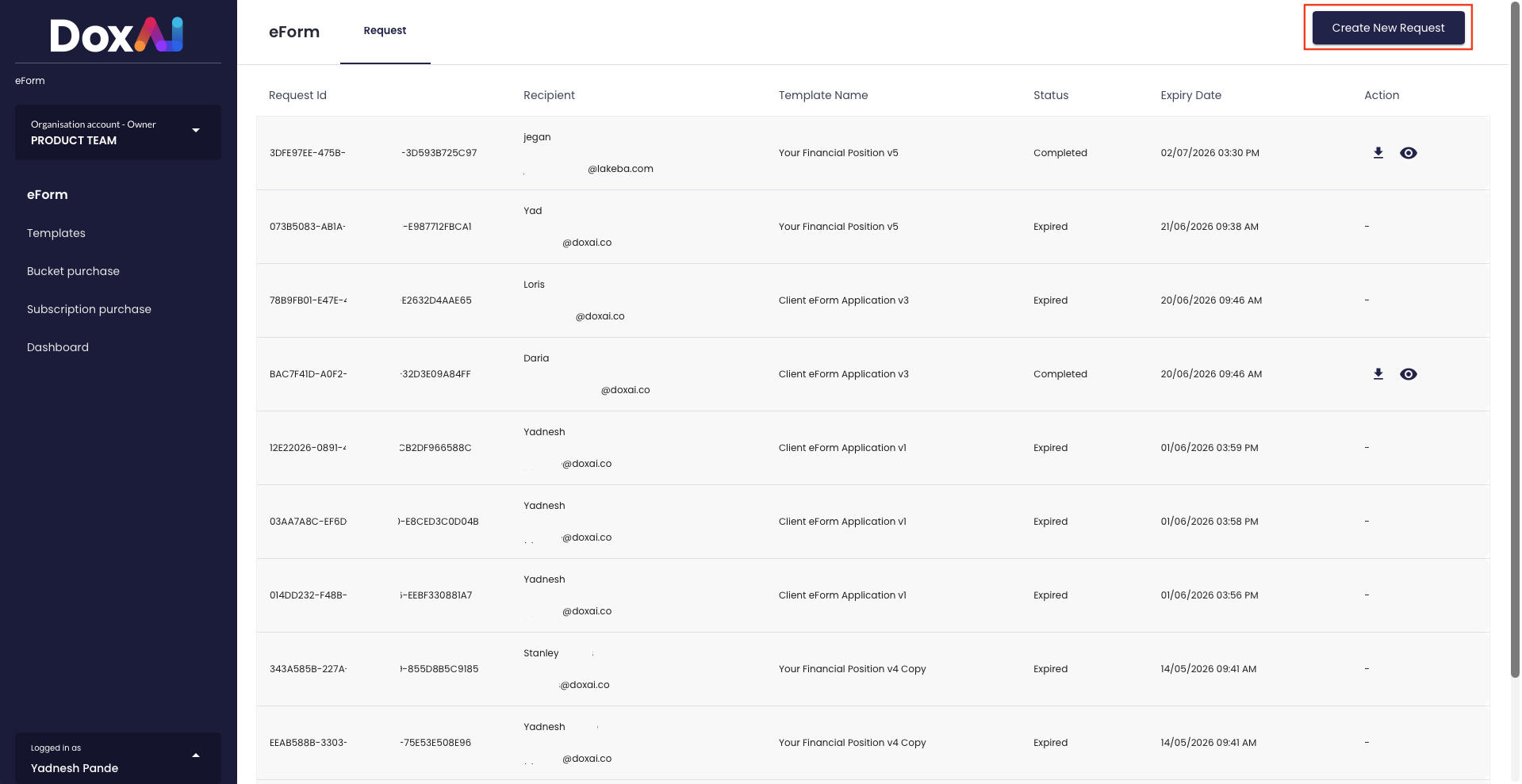
- Enter the recipient’s name and email.
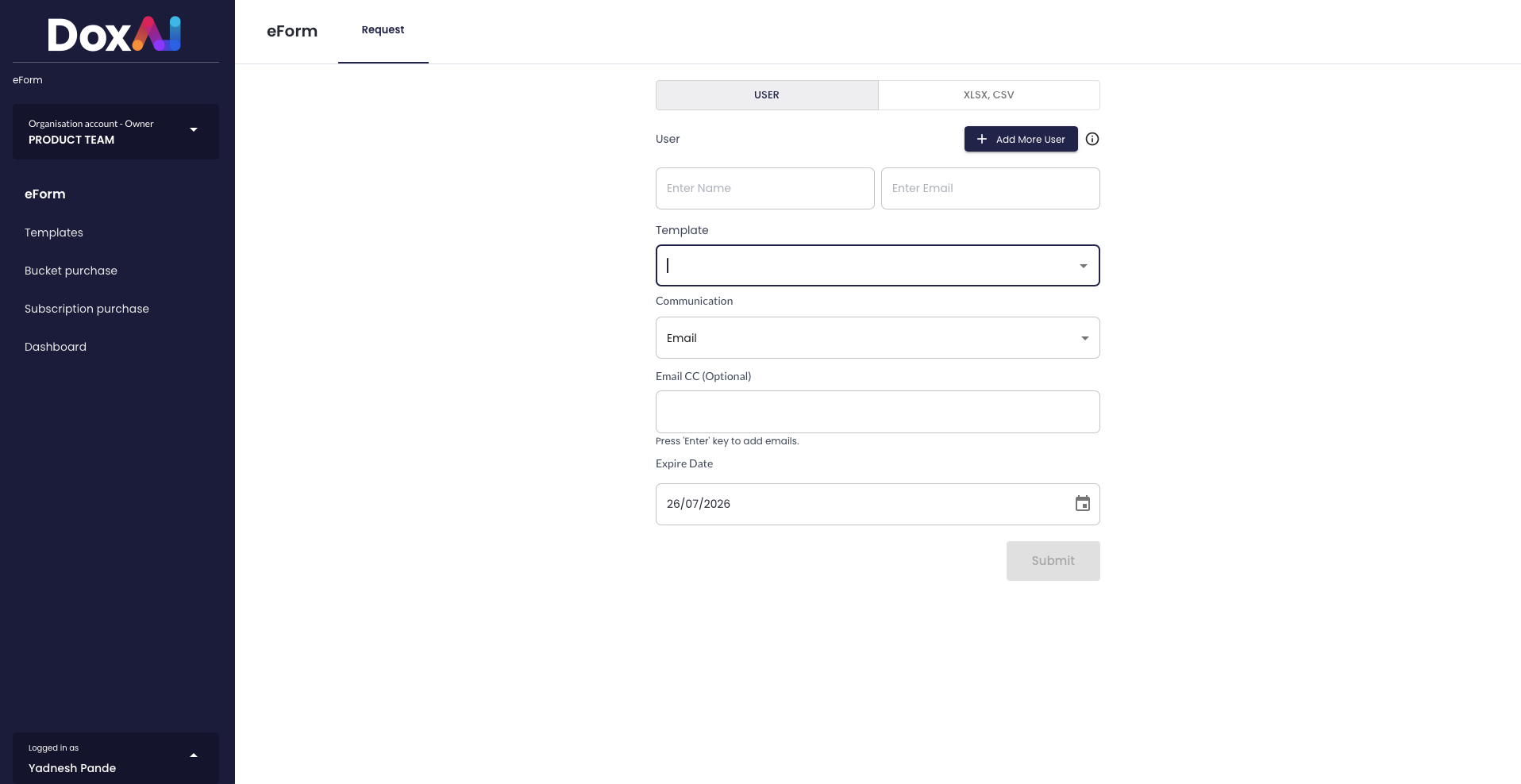
- Select the template.
- Choose the communication method.
- Set an expiry date.
- Click Submit.
Multiple Users
- Select the XLSX / CSV option.
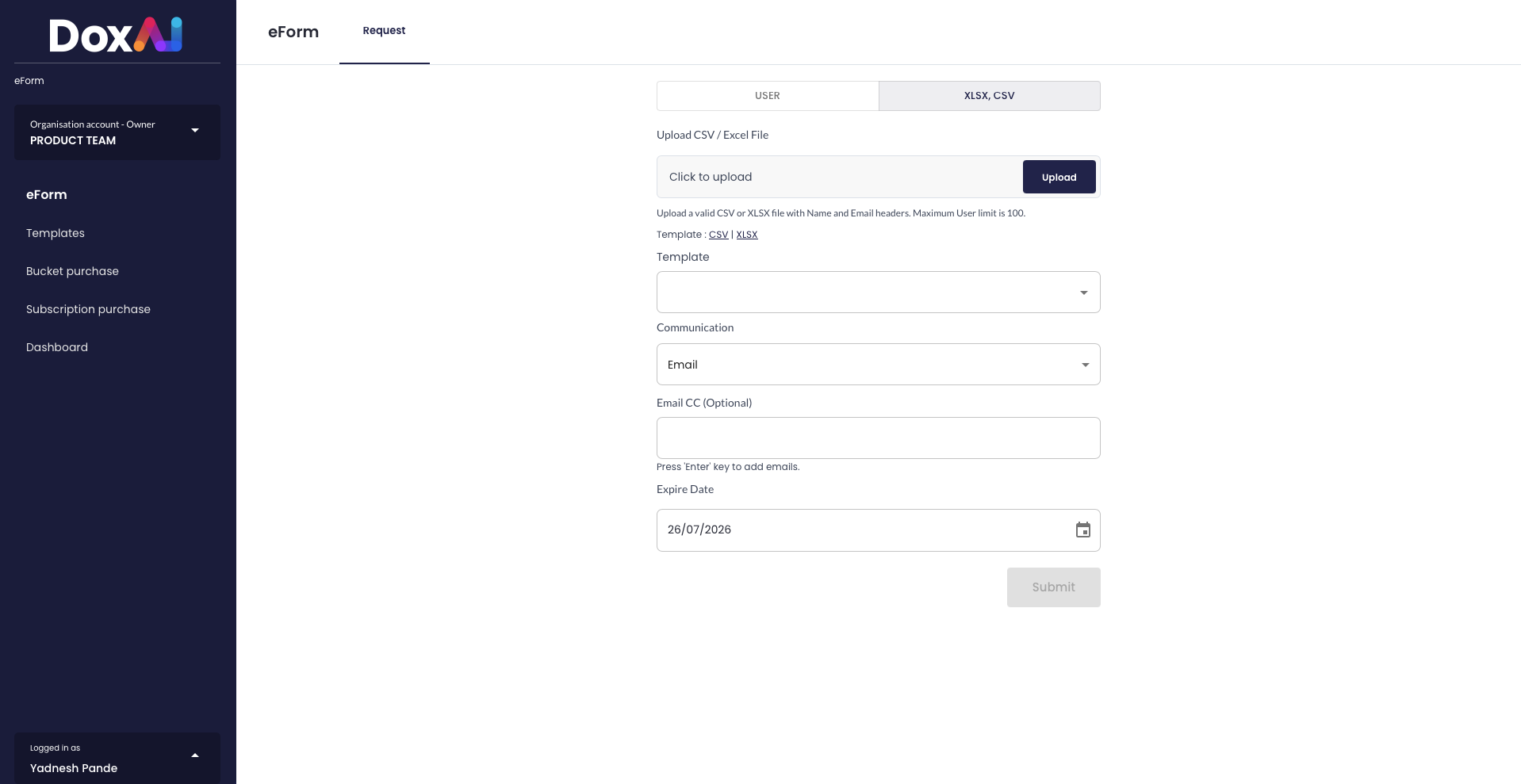
- Upload a supported CSV or XLSX file.
- Download the CSV/XLSX template for referral.
- Configure the communication method.
- Set an expiry date.
- Click Submit.
Was this article helpful?
That’s Great!
Thank you for your feedback
Sorry! We couldn't be helpful
Thank you for your feedback
Feedback sent
We appreciate your effort and will try to fix the article